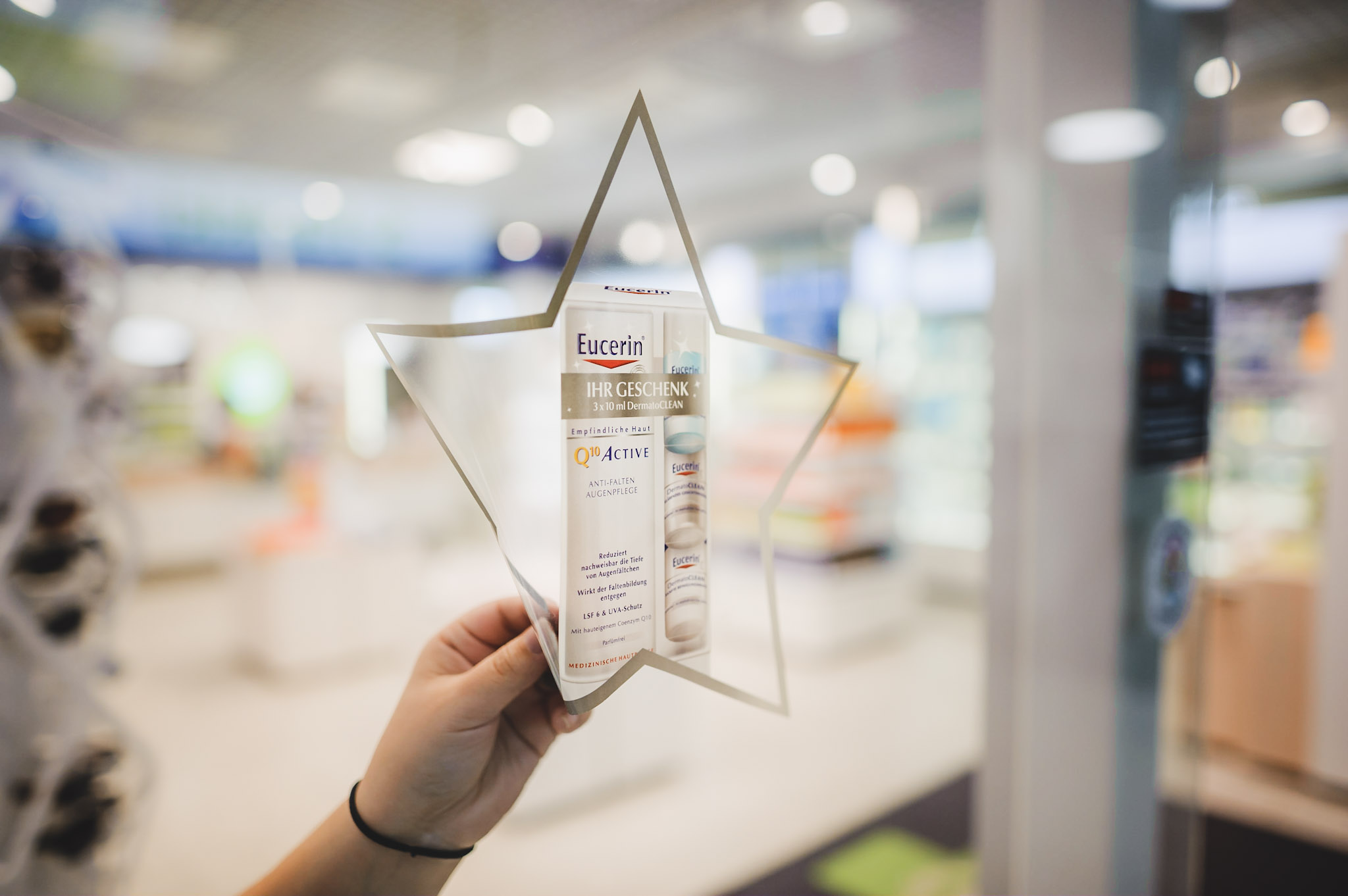
Stafix® is a new, innovative material for advertising: A sticker without glue!
A static charge stored inside the film enables Stafix® to adhere to any surface.
Stafix® can be used for a large range of applications and has been used by many brands from different industries already. See who used it and check out some of the main applications.
Questions? Here you will find some answers to the most common questions asked about Stafix. If you do not find answers to your questions, don't hesitate to contact us.
- custom sizes can be ordered, please consult us for minimum order quantities
Can you put a coating on Stafix®?
No. Do not use any additional drying additives or drying pastes neither. Coatings and drying pastes will eliminate the static load and curl the material!
Are there imperfections in the film as a result of the charging process?
Yes. Some lightning bolts appear in Stafix® as a result of the charging process. Conventional inks will print over them.
Where do I find information for printing properly on Stafix® ?
Reference the Printing & Storage available on our website. For additional information, please contact us.
What would cause offsetting on Stafix®?
When printing with oxidative inks, offsetting can occur if your stacks are too large, or there is not enough airflow throughout the load to facilitate drying. Larger powder (40 to 50 micron) will help reduce offsetting.
Why Stafix® should be run in such short lifts?
Stafix requires proper fanning of the sheets for better runnability, shorter lifts improve the runnability.
Using smaller lifts also reduces the chance of offsetting. It also maximizes airflow throughout the load to facilitate drying.
Can I run using my standard powder?
We recommend using larger grain (40 to 50 micron). Larger powder prevents offsetting and speeds up the drying process.
Should I fan the material?
Fanning the material properly is recommended for better feeding.
Please see our instructional video below:
How long should I acclimatize Stafix® before printing?
Stafix® should acclimate to press room temperature before running. Leave the material wrapped in the press room with the original seal for 24hrs. After the pallet has acclimatize to press room temperature, let it acclimatize (open without the plastic sealing) for an additional 24-48 hours.
Sudden changes of temperature and/or humidity may cause the film to wrinkle. Any remaining material must be resealed with plastic humidity protecting wrapping. Humidity should be avoided to prevent Stafix® from wrinkling.
The proper acclimatization of the material improves the feeding of the material.
How long after you print on Stafix® can you cut and ship the finished material?
With oxidative inks drying time varies depending on the image printed and the amount of ink coverage. This can vary from one to three days.
If using UV Offset and UV-Inkjet printing methods drying is instant.
Can you UV print on Stafix?
Yes, but reduce the intensity of the UV lamps so that it does not wrinkle the material.
Can Stafix be digitally printed?
Yes, Stafix can be printed on UV-inkjet machines. The UV lamps are indispensable to cure the inks.
Are special inks required for Offset printing on Stafix?
Use inks suitable for printing on thin polypropylene substrates. Avoid inks (Oxidative) that contain high amounts of mineral oils. Mineral oil may cause the film to swell.
Below are some suggestions:
Traditional Offset
Sun Chemical Foils 44
Flint Group Novaplast
UV-Offset
Hostmann-Steinberg (NewV Poly Series)
Sun Chemical (Suncure Starluxe)
Can I use IR drying with Stafix?
Avoid IR drying to prevent the film from expanding and/or curling due to excessive heat. The IR lamps might even increase the drying time of the sheets on the stack.
What size piles should I dry Stafix®?
When printing with Offset oxidative inks, dry the sheets in stacks of 200-250 sheets. In-stack temperature should not exceed 32° C.
Pictures from a “heavy Stafix® user” partner printing house
Why does Offset occur?
Offsetting can occur if stacks are too large. Stacks that are too large may also hinder airflow therefore slowing down drying time significantly. Also the powder size should be 40-50 micron.
What is the drying time for oxidative inks?
It takes time for ink to set on Stafix® and consequently drying will take longer than with coated paper since plastic does not absorb ink like paper does.
Average drying times for single-side printing will vary according to area coverage, printing conditions, climate and a variety of factors. Plan for 24-72 hours of drying time.
When can I cut the glue lines off?
Do not cut the glue lines before printing and run the sheets solid glue line first. Do not cut the glue lines off if you are going to kiss cut, die cut or do any post-press process to the sheets. Please cut the glue lines after the printing and post press processes have been done.
How do I apply the covering white to the clear film?
The clear film is a good option for window application, because the artwork does not need to be die cut.
Print the covering white first, let it dry for 12-24 hours and then print the 4 colors on top.
Some UV Offset presses can print the 5 colors in one run.
If you need to display the artwork to the outside from inside through a glass window it is recommended to print the imgae mirror-wise.
What is the shelf life of printed Stafix®?
One year if it is wrapped and stored in a clean dry location.
What is the fiber orientation for the Stafix® sheets?
The fiber direction on the sheet is :
machine direction on the long side of the sheets.
Here an explanatory graphic below:
Printer Troubleshooting
If you are having some challenges printing on Stafix®, please review the printing and storage guidelines from: http://www.stafix.fi/english/technical-data-main/technical-data/printing-manual/
If you do not find the solution for your problem on the printing guidelines, please check the Troubleshooting part or contact us directly.
I'm having some difficulties getting Stafix to feed properly. How do I solve this?
Due to the static nature of the material the sheets may stick to each other especially when stacked for some time. Please revise the following advices:
Proper acclimatization?
Stafix® should acclimate to press room temperature before running. Leave the material wrapped in the press room with the original seal for 24hrs.
After the pallet has acclimatize to press room temperature, let it acclimatize (open without the plastic sealing) for an additional 24-48 hours. Sudden changes of temperature and/or humidity may cause the film to wrinkle. Any remaining material must be resealed with plastic humidity protecting wrapping.
Humidity should be avoided to prevent Stafix® from wrinkling.
The proper acclimatization of the material improves the feeding of the material.
Did you check the humidity level and temperature?
Store inside at room temperature, from 18º to 27ºC with a relative humidity level between 25% and 50%. The press room humidity should be close to 50%.
Did you fan properly the sheets?
Check our tutorial video on how to fan the sheets: http://www.stafix.fi/english/technical-data-main/technical-data/printing-manual/stafix-preparation. Separate the first 10 sheets one by one.
Did you check the air supply?
Put the rear air pistols to it’s maximum. Use additional side blowers. Position side air towards the rear of the stack separating the first 10-15 sheets.
Watch the instructional video
The press announces double feeding, even if only a single sheet is going to the press?
The Stafix® sheets consists of the Stafix film glued to the cardboard backer. Some optical sensors mistakenly recognize this as a double feeding. You could try to temporary turn off the optical sensor and verify if this is the problem.
I printed on Stafix® but it doesn’t dry?
Check that the total area coverage does not exceed the 240%
Check the size of the powder
Check the airflow
Humidity level
The IR lamps were off?
Too much water or too low alcohol in the fountain solution?
Did you dry the sheets in small stacks ?
Did you use the right inks ?
I have some wrinkles on the printed material?
Check the total area coverage in the artwork
Check the ink density on the sheet
Check that the ink is recommended by Stafix Ltd.
Check that there are not 2 or more solid colors overlapping each other.
Check that the UV lamps power was not set too high.